









Microsoft 365 Backup Solution for Your Business

Trusted by Global Enterprises
HHI
Walmart
HHI
Art
Act Enviro
Natura
Quorum
ForeScout
Cokeva
BioMarin
Christie
Upwork
Mother Labs
Walmart
HHI
Walmart
HHI
Art
Act Enviro
Natura
Quorum
ForeScout
Cokeva
BioMarin
Christie
Upwork
Mother Labs
Walmart
0+Years Experience
0+Unique Customers
0+Solutions Delivered
ISO 27001Certified
SOC 2Type II Compliant

Protect business-critical emails, files, sites and collaboration data with automated Microsoft 365 backup and granular recovery. Vast Edge helps protect Exchange Online, OneDrive for Business, SharePoint Online and Microsoft Teams through one managed backup solution.

  • 01
    Automated protection for essential Microsoft 365 workloads
  • 02
    Granular recovery for supported emails, files, folders and collaboration data
  • 03
    Managed onboarding, monitoring and recovery support

Complete Microsoft 365 Backup and Recovery

Microsoft 365 keeps your organization productive, but accidental deletion, ransomware, compromised accounts and unwanted changes can still affect important business data. Retention and synchronization alone may not provide the independent recovery points required for every incident.

Vast Edge provides an automated Microsoft 365 backup solution that helps businesses protect essential workloads, monitor backup activity and recover supported data when it is needed. The service reduces manual administration while giving your team greater control over backup and recovery.

Protect Your Essential Microsoft 365 Workloads

Protect the Microsoft 365 applications your employees use every day from one managed backup environment.
microsoftexchange
01

Exchange Online Backup

Protect supported data from user and shared mailboxes, including emails, attachments, contacts and calendars. Search for affected mailbox items and recover the data required after accidental deletion, account compromise or unwanted changes.
02

Microsoft Teams Backup

Protect supported collaboration data associated with Microsoft Teams and connected Microsoft 365 services. Recover affected content after deletion, corruption or malicious activity while reducing disruption to daily communication and teamwork.
03

OneDrive for Business Backup

Back up business files and folders stored in OneDrive for Business. Preserve available recovery points and restore selected content when files are deleted, overwritten or changed unexpectedly.
04

SharePoint Online Backup

Protect supported SharePoint Online sites, document libraries, files, folders and lists. Recover affected content without relying only on native retention or restoring more data than the incident requires.
Microsoft 365 Backup

Dashboard

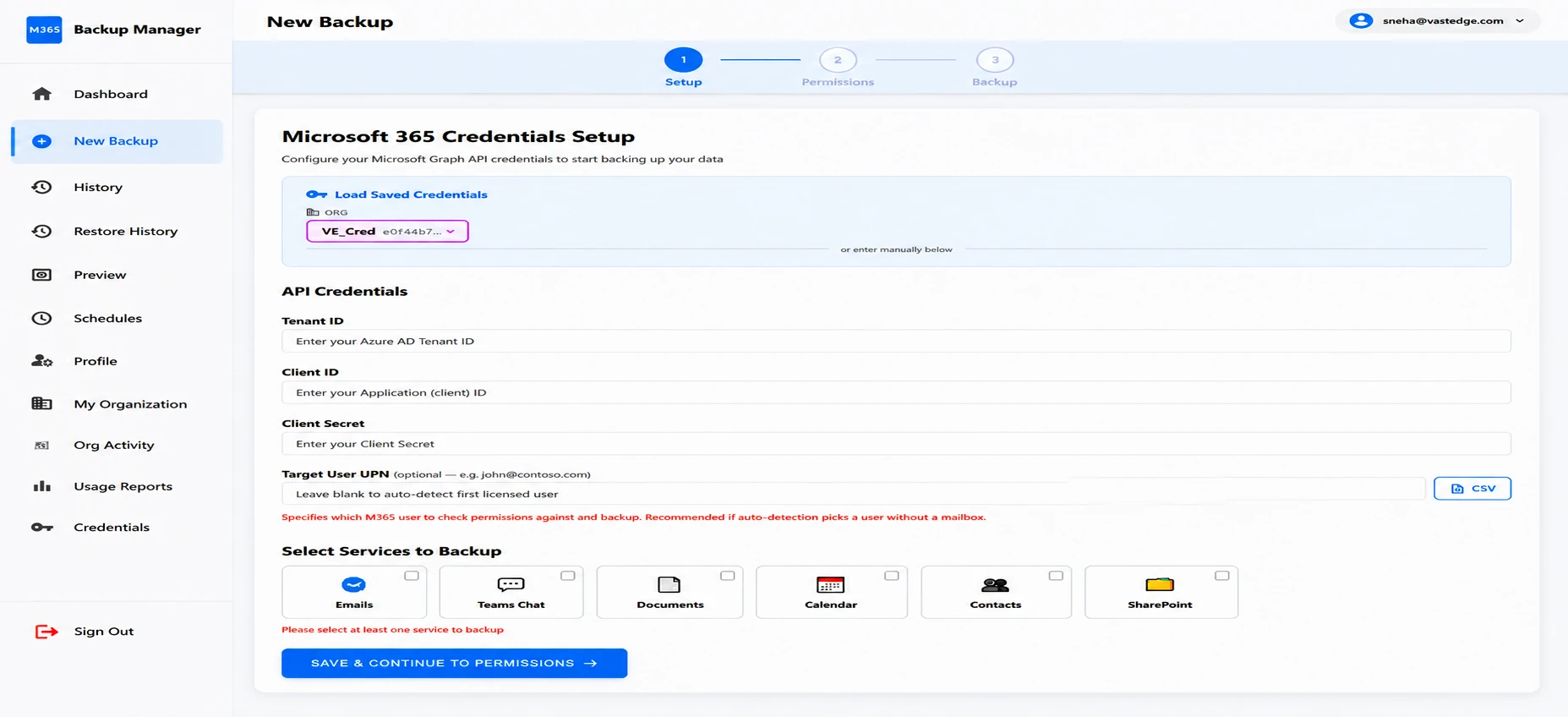
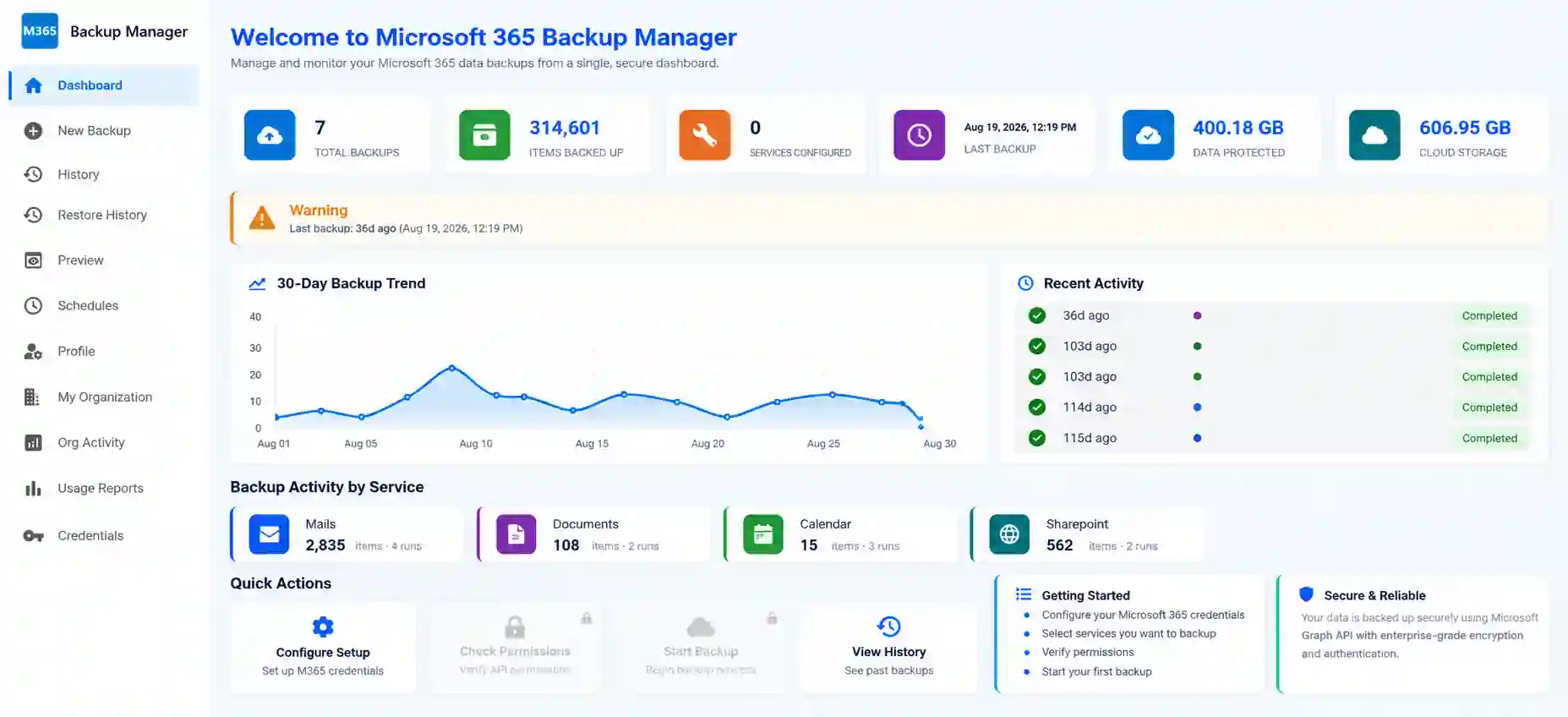
Your backup command center. See protection status, recent backup activity, and storage usage in one view, so you always know your Microsoft 365 data is safe.

01/04
Dashboard

See Microsoft 365 Backup in Action

Microsoft 365 Backup Features

  • 01
    Automated Backup Scheduling
    Create consistent recovery points for protected Microsoft 365 workloads without depending on manual exports. Automated backup helps reduce administrative effort and the risk of missed backup activity.
  • 02
    Granular Search and Recovery
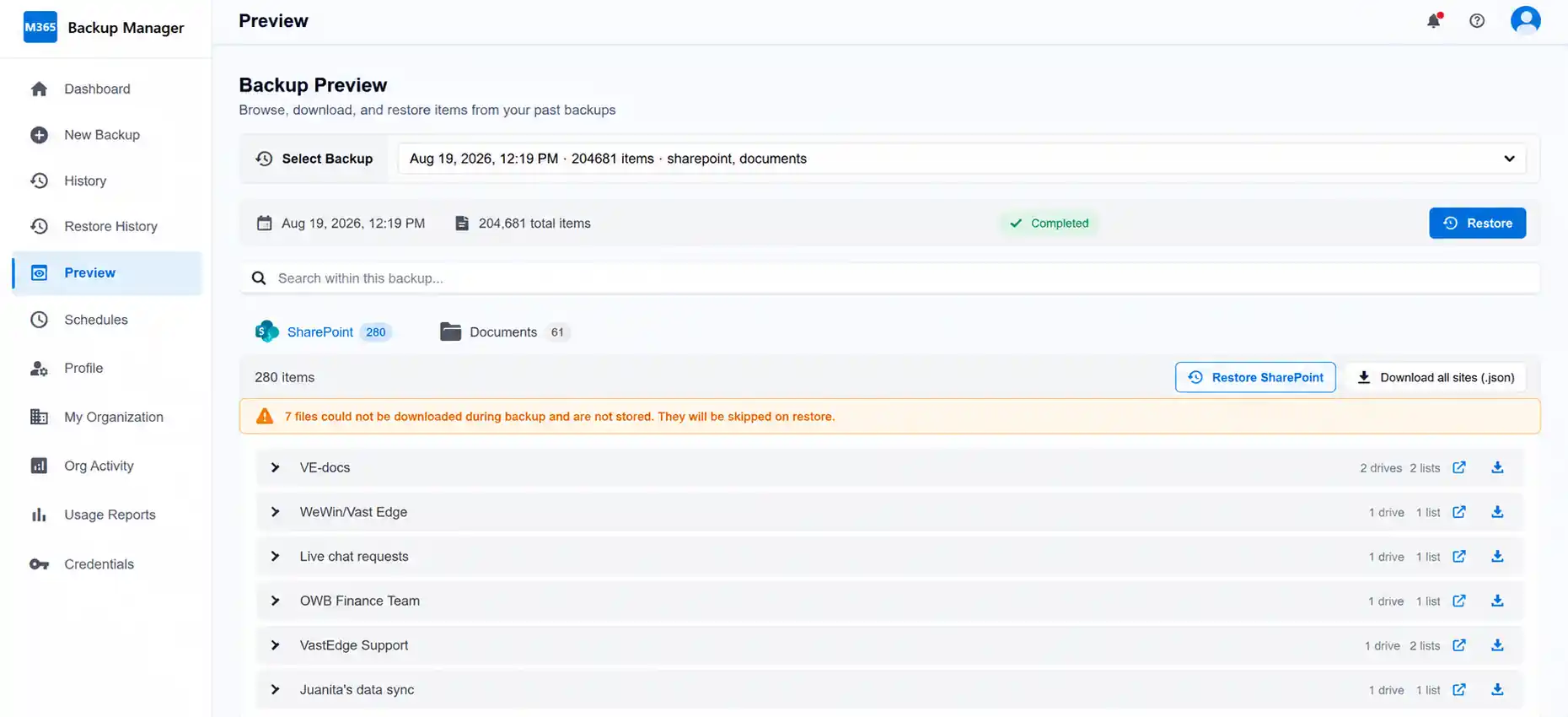
    Locate and recover selected emails, files, folders, mailbox data, SharePoint content or other supported items. Granular recovery helps your team address the affected data without restoring an entire environment.
  • 03
    Flexible Retention Policies
    Align backup retention with your operational, legal and compliance requirements. Independent recovery points give your organization more control over how long protected data remains available.
  • 04
    Centralized Backup Monitoring
    Review backup activity, protected workloads, available recovery points and backup issues from one interface. Centralized visibility helps administrators identify problems before a recovery request occurs.
  • 05
    Version Recovery
    Recover an earlier available version of supported data after an incorrect update, overwrite or unwanted change. Historical recovery points help return affected information to a usable state.
  • 06
    Secure Backup Protection
    Protect backup data with encryption and controlled administrative access. Separate backup copies help reduce dependence on the production Microsoft 365 environment during a data-loss incident.
  • 07
    Ransomware Recovery Support
    Recover clean, available Microsoft 365 data after malicious deletion, encryption or compromised-account activity. Independent backup supports a more controlled recovery process and helps reduce prolonged business disruption.
  • 08
    Managed Microsoft 365 Backup
    Vast Edge assists with onboarding, backup-policy configuration, monitoring and recovery support. This managed approach helps organizations protect Microsoft 365 data without placing the full operational burden on a small internal IT team.

Microsoft 365 Backup for Small and Midsize Businesses

Small and midsize businesses rely on Microsoft 365 for email, file sharing, document management and collaboration, but many do not have dedicated backup administrators. A managed Microsoft 365 backup solution can provide dependable protection without adding on-premises backup infrastructure or another complex system to maintain.

Vast Edge helps growing organizations establish automated backup, maintain recovery points and access specialist assistance when data needs to be restored.
  • Simplified onboarding and backup configuration
  • Automated protection across essential Microsoft 365 workloads
  • Granular recovery for supported business data
  • Flexible retention based on business requirements
  • Central visibility into backup activity
  • Managed assistance during backup and recovery operations
  • Scalable protection as users and Microsoft 365 data grow

Why Choose Vast Edge for Microsoft 365 Backup

  1. One Solution for Essential Workloads
    Protect supported Exchange Online, OneDrive for Business, SharePoint Online and Microsoft Teams data through one Microsoft 365 backup solution.
  2. Managed Setup and Ongoing Support
    Work with cloud and backup specialists who can assist with onboarding, backup configuration, monitoring and recovery requirements.
  3. Granular Recovery Control
    Recover the supported items affected by an incident instead of treating every recovery request as a complete environment restore.
  4. Protection Designed for Business Continuity
    Maintain independent recovery points that help your organization respond to accidental deletion, compromised accounts, ransomware and operational errors.
  5. Experienced Cloud and Data Protection Provider
    Vast Edge brings more than 22 years of cloud experience and operates as an ISO 27001-certified and SOC 2 Type II-compliant organization.

How Microsoft 365 Backup Works

  • 01
    Connect Your Microsoft 365 Environment
    Authorize the required connection and complete the guided onboarding process.
  • 02
    Select Users and Workloads
    Choose the supported Exchange, OneDrive, SharePoint and Teams data that needs protection.
  • 03
    Configure Backup and Retention Policies
    Set the appropriate backup coverage and retention requirements for your organization.
  • 04
    Monitor Backup Activity
    Review backup status, available recovery points and issues that may require attention.
  • 05
    Search and Recover Data
    Locate the affected data and recover the supported items from an appropriate recovery point.

Benefits of Vast Edge Microsoft 365 Backup

  1. Recover supported emails, files and collaboration data after accidental deletion.
  2. Reduce business disruption following ransomware or a compromised Microsoft 365 account.
  3. Maintain independent historical recovery points outside everyday production activity.
  4. Preserve protected data required after an employee account is removed, subject to the configured retention policy.
  5. Reduce manual backup administration through automated protection and centralized monitoring.
  6. Support retention, legal and audit requirements with configurable backup policies.
  7. Recover selected items instead of restoring more data than the incident requires.
  8. Access managed assistance for backup configuration and recovery operations.

Microsoft 365 Backup Pricing

Microsoft 365 backup pricing depends on the number of protected users, required workloads, retention needs and level of managed support. Vast Edge can review your Microsoft 365 environment and recommend an appropriate protection plan for your organization

Request a Microsoft 365 Backup Quote →

Protect Your Microsoft 365 Data Before You Need to Recover It

Protect Exchange, Teams, OneDrive and SharePoint data with automated backup, granular recovery and managed support from Vast Edge.
Loading...

Frequently asked questions