










A quality Salesforce backup and recovery tool should provide overarching data protection, be easy to use, and instill confidence against data loss or corruption. At Vast Edge, everything we do is focused on earning customer trust and instilling peace of mind so that you may focus your efforts on more important initiatives and moving the business forward.
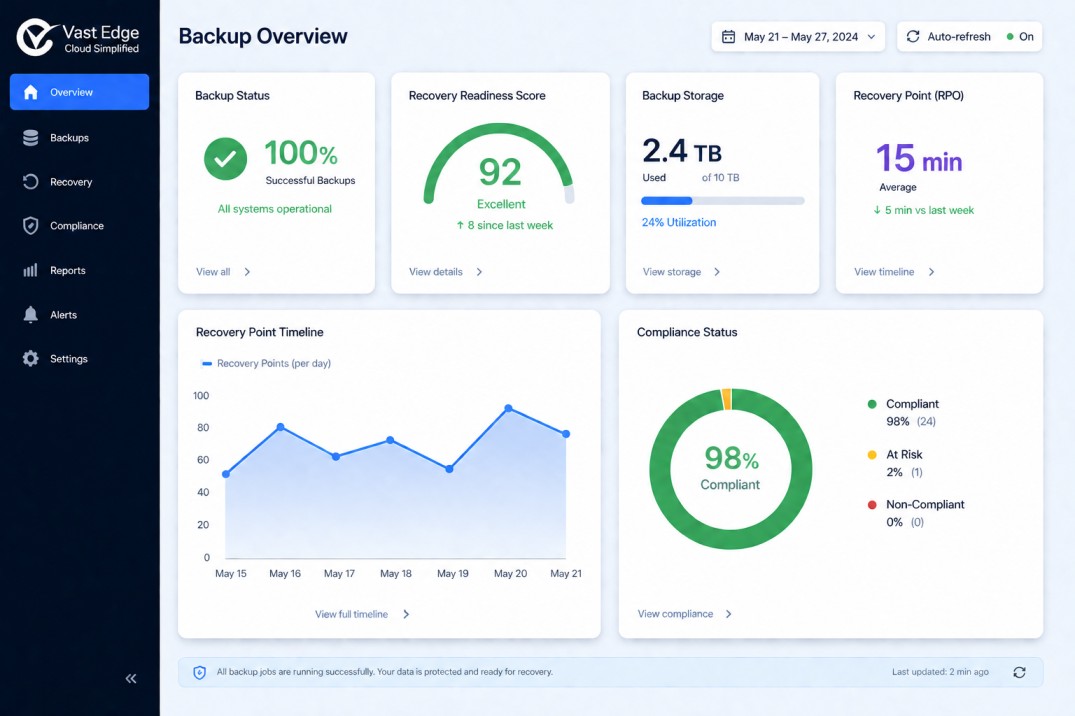
Vast Edge Backup for Salesforce is a complete solution, delivered directly within the Salesforce interface. The platform offers robust backup and restoration of your Salesforce data and metadata, includes helpful tools such as sandbox seeding, and comes with 24/7/365 support in case you run into any trouble.

Salesforce Backup and Recovery
Trusted by Global Brands
Comprehensive Protection with a Complete Salesforce Backup Solution
Why Salesforce Data Backup Is Critical for Your Business?
- 1Get Extensive Data Protection
Protect all the essential data within your Salesforce Org. This includes records, standard & custom objects, metadata, files, attachments, reports, dashboards, custom views, Chatter posts and more. With Vast Edge, you’ll always know that your valuable Salesforce data is backed up and available. - 2Eliminate Backup Complexity
Your time is valuable; don’t let a manual backup process burden you. Vast Edge’s automated backups allow you to cut out unnecessary admin work and dedicate time to more important projects. Daily, non-intrusive backups will run automatically to help deliver optimal protection of your data. - 3Experience Streamlined Restores
Utilize advanced restoration capabilities to rapidly recover Salesforce data and metadata. Vast Edge provides an assortment of functionalities, such as granular search-base restore, point-in-time restore, and cross-org restore. Restore the data you need quickly within the Salesforce interface. - 4Uphold Data Security Compliance
Ensure the safety of your data. Vast Edge deploys top-tier data protection practices such as data encryption, intrusion detection, and access control, for utmost security. Our solution holds certifications for compliance with a multitude of standards and regulations, including ISO and HIPAA. - 5Unintended Data Loss
Salesforce data is vulnerable to both cybercriminals and internal errors, such as accidental deletion, overwriting, or mishandled metadata, leading to unintended data loss. - 6Internal Mistakes
Salesforce’s backup policy only covers errors on their side, leaving customers responsible for protecting their own data from internal mistakes. - 7Salesforce Advice
Salesforce advises customers to develop a routine data backup strategy as part of their overall data management and security approach. - 8Intelligent Workforce Management
Reduce load on Admin teams with bulk activation of backups for your entire Salesforce organization in Production or Sandbox environments.
How Vast Edge Protects Your Business with Advanced Salesforce Backup Tools?
Assess Your Current Salesforce Environment
Vast Edge begins by thoroughly evaluating your Salesforce environment. We help catalogue all customer data, metadata, and integrations with third-party applications to ensure nothing is overlooked.
Create a Comprehensive Data Backup and Recovery Plan
Our team collaborates with you to develop a robust backup and disaster recovery strategy that aligns with your operational and compliance goals. Our team collaborates with you to develop a robust data backup and recovery plan. This plan outlines clear roles for: Backup operations, Emergency response, Recovery actions.
Metadata Backups
Vast Edge’s backup solutions capture both data and metadata, ensuring you can fully restore your environment. Metadata is crucial for maintaining your Salesforce org structure, making it a key part of our disaster recovery process.
Backing up Salesforce data automatically with Flexible Scheduling & Retention Policies
At Vast Edge, we understand that Salesforce sits at the heart of your CRM strategy, powering sales, service and operational workflows across your organization. When that data changes every minute, relying on manual exports or occasional backups simply isn’t enough. That’s why we help our clients implement a fully automated Salesforce backup approach that runs quietly in the background - consistently and reliably.
Instead of a one-size-fits-all setup, we tailor the backup schedule to how your business actually works. If your teams update records throughout the day, we configure more frequent backups. If you have nightly integrations pushing bulk data, we align backup timing accordingly. The goal is simple - your backup strategy should reflect your real-world usage, not generic defaults.
How Vast Edge Supports Automated Backups
We work closely with your team to design a backup framework that fits seamlessly into your environment. Once configured, backups run automatically- capturing new records, updates, attachments, and custom objects without interrupting users.
You also gain visibility into what’s happening behind the scenes. We help set up monitoring and reporting so you’re never guessing whether your data is protected. And because we manage the solution proactively, you’re not left troubleshooting on your own.
Flexible Scheduling That Matches Your Risk Profile
Every organization has different risk exposure. A high-volume sales team may require more frequent protection than a smaller operation. We assess your data activity, compliance requirements, and business priorities to recommend the right backup cadence.
This flexibility ensures you’re protected without overcomplicating your system or affecting performance.
Retention Policies Designed Around Compliance & Governance
Backup isn’t just about saving yesterday’s data, it’s about being able to restore what you need, when you need it. Vast Edge helps you define retention policies that align with regulatory, audit, and internal governance requirements.
Whether you need to retain historical data for several months or multiple years, we configure policies that give you long-term control. You can maintain version history, restore records from specific points in time, and ensure critical information is never permanently lost due to accidental deletion or system errors.
With Vast Edge, automation doesn’t mean losing control. It means gaining confidence. Your Salesforce data remains continuously protected, recoverable, and aligned with your compliance needs so your teams can focus on growing the business instead of worrying about data loss
Enterprise-Grade Salesforce Backup for Maximum Security
Secure and Scalable Salesforce Data Recovery and Restore
Protect your CRM with a powerful Salesforce backup and restore solution designed for speed, accuracy, and simplicity. Vast Edge Backup enables you to securely restore Contacts, Leads, Opportunities, Accounts, Attachments, Custom Objects, and more - directly from your web browser, without relying on third-party tools.
- 1Fast & Easy Data Restoration
Recover lost or corrupted Salesforce data in just a few clicks. Simply select the records, objects, or fields you want to restore and initiate the recovery process instantly. Our streamlined interface ensures minimal downtime and maximum efficiency. - 2Granular, Point-in-Time Salesforce Data Recovery
Restore your Salesforce data exactly as it existed at a specific moment in time. Perform Full organization restores, Object-level restores, Record-level recovery, Field-level data restoration, Metadata recovery - 3Maintain Parent-Child Relationships
Our Salesforce data backup solution preserves critical parent-child relationships during restoration. This prevents orphan records, maintains data integrity, and ensures seamless CRM functionality after recovery. - 4Duplicity Prevention
Leverage built-in External IDs to prevent duplicate records during restoration. Your data remains clean, structured, and fully aligned with your Salesforce environment.
With robust Salesforce backup tools from Vast Edge, you gain secure, granular, and reliable protection for your CRM data ensuring business continuity, compliance, and uninterrupted operations
FAQs
Frequently asked questions
Q1. How is Salesforce backed up?
Salesforce data can be backed up in a few different ways. Some organizations use Salesforce’s built-in data export feature to download files manually, while others rely on automated salesforce backup solutions that run daily (or even more frequently). Automated tools are usually the safer option because they reduce the risk of human error and ensure nothing important gets missed.
Q2. Is Salesforce backup free?
It depends on what you’re looking for. Salesforce does offer a basic export feature at no extra cost, but it’s fairly limited. If you need automation, longer data retention, or easy recovery options, you’ll likely need a paid solution. Most reliable salesforce backup tools come with a subscription cost, especially for business-critical environments.
Q3. What is Salesforce's own backup?
Salesforce provides a native data export service and a paid Backup & Restore product. The export option lets you download your data periodically, while the paid tool offers more structured recovery options. That said, many companies still use external salesforce data backup platforms for stronger protection and flexibility.
Q4. Does Salesforce have a backup solution?
Yes, Salesforce has built-in export features and a paid backup product. However, it’s important to understand that platform-level protection isn’t the same as having full, granular recovery capabilities. That’s why many organizations invest in additional salesforce backup and restore solutions for complete peace of mind.
Q5. What are the methods for Salesforce Backup and Restore?
There are generally three approaches: Manual data exports, Salesforce’s native Backup & Restore and Third-party automated platforms. If quick and precise salesforce data recovery is important to your business, automated solutions usually make the process much easier.
Q6. What's the difference between backup and restore?
Think of backup as creating a safety copy of your data. Restore is what you do when something goes wrong and you need that data back. A strong sdfc backup strategy ensures that both steps are smooth- you don’t just have copies, you can actually use them when needed.
Q7. What is the 3/2/1 rule for backup?
The 3/2/1 rule is a simple best practice: Keep 3 copies of your data, store them on 2 different types of storage, Keep 1 copy offsite. When backing up Salesforce, this approach helps protect against accidental deletions, cyber threats, or system failures.
Q8. How long is data stored in the Salesforce recycle bin?
Deleted records stay in the Recycle Bin for up to 15 days unless your storage limit is reached sooner. After that, the data is permanently removed unless you have a proper salesforce backup system in place.
Q9. How do we restore a deleted record in Salesforce?
If the record is still in the Recycle Bin, you can restore it directly with a few clicks. If it’s been permanently deleted, you’ll need a backup file or a reliable salesforce backup tools solution to recover it.
Q10. Why should we backup our Salesforce Online data?
Salesforce keeps the platform running, but protecting your data is ultimately your responsibility. Mistakes happen, records get deleted, integrations overwrite fields, or data becomes corrupted. Having proper salesforce data backup in place ensures your business doesn’t suffer from avoidable data loss.
Q11. How often is Salesforce backed up?
Salesforce maintains infrastructure-level backups, but those aren’t meant for customer-level restores. For business continuity, most companies schedule daily automated backups. Depending on how critical your data is, some even back up multiple times a day.
Q12. How much does Salesforce data backup cost?
The cost varies depending on the size of your organization and how much data you need to protect. Basic exports are free, but advanced salesforce backup platforms are usually priced per user or based on data volume. For most growing businesses, the cost is small compared to the risk of losing important customer data.