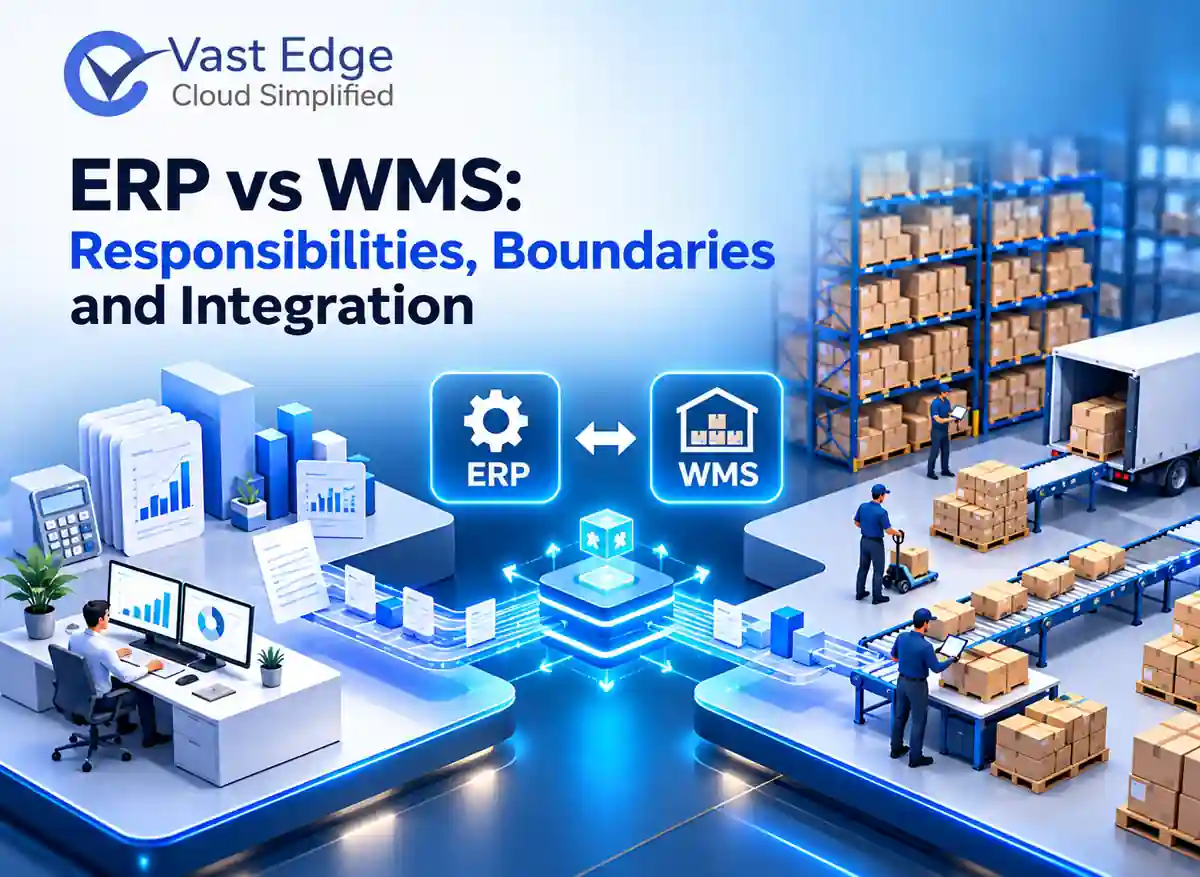
ERP and WMS are complementary systems. ERP manages commercial and financial records such as customers, orders, purchasing and accounting, while WMS directs physical warehouse work such as receiving, put-away, replenishment, picking, packing and shipping. A reliable integration assigns one system of record to each field, defines event timing and gives teams a clear way to resolve exceptions.
ERP vs WMS: Responsibilities, Boundaries and Integration
Last Updated • 5 Nov 2026
D
AuthorDevon Miller
What is the practical difference between ERP and WMS?
An ERP records what the business buys, sells, owes and owns. It connects sales orders, purchase orders, suppliers, customers, invoices, costs and financial reporting. Its warehouse or inventory module may track balances, but it may not guide every scan, task and location decision on the floor.
A WMS manages how inventory moves inside a warehouse. It receives expected receipts, directs put-away, maintains location-level stock, releases picking work, confirms packing and returns shipment results. The distinction is not “basic system versus advanced system.” It is business transaction control versus warehouse execution.
Some ERP products include warehouse functions, and some WMS products include planning features. The project team still needs an explicit boundary. Overlap without ownership creates duplicate quantities, mismatched statuses and manual reconciliation.
Which system should own each warehouse data element?
Start with a field-level ownership matrix. The owner is the application allowed to create or authoritatively change a value. Other systems may display or consume it, but they should not independently overwrite it without a defined rule.
ERP normally owns customer and supplier masters, commercial orders, purchase orders, item financial attributes, taxes and accounting postings. WMS normally owns operational locations, license plates or handling units, task status, pick confirmations, packing events and detailed movement history. Item dimensions, units of measure and lot rules require a deliberate decision because both systems use them.
Do not decide ownership from the screen users prefer. Decide from the process that creates the fact, the audit requirement and the team responsible for correcting it.
What data should flow between ERP and WMS?
For inbound work, ERP commonly sends purchase orders, transfer orders, expected returns and item or supplier updates. WMS returns receipts, shortages, overages, damages, lot or serial details and put-away confirmation.
For outbound work, ERP sends released sales or transfer orders, customer delivery details and allocation priorities. WMS returns pick, pack, ship, cancellation and exception events. Inventory adjustments, cycle-count results and quarantine changes also need a controlled route back to the business record.
Use event names and statuses that both teams understand. “Released,” “allocated,” “picked” and “shipped” must have one definition. If one application interprets shipped as label creation and another interprets it as carrier handoff, reports will disagree.
How should integration timing and exceptions work?
Not every message needs real-time transmission. Order release, allocation blocks and shipment confirmation may need rapid exchange. Reference data can often move on a scheduled cadence. Define the maximum acceptable delay for each interface instead of calling every feed real time.
Every message should have a unique identifier, timestamp, source system and processing status. Design for retries without creating duplicate receipts or shipments. Failed events need a visible queue with ownership, reason and next action.
Plan for partial success. A multi-line order may have one invalid item or a receiving event may include an unknown lot. Decide whether the whole transaction stops or valid lines continue. Record the decision so operations, finance and customer service see the same outcome.
What should teams test before go-live?
stock, split shipments, backorders, cancelled orders, returns, cycle-count adjustments and unit-of-measure conversions.
Reconcile totals at three levels: document, item and location. Confirm that quantities, statuses, timestamps and financial consequences match. Test the same event twice to prove duplicate protection. Pause an interface, build a queue, restore it and confirm messages recover in the correct order.
Include security and support tests. Verify who can replay events, change mappings and approve adjustments. Confirm logs retain enough detail for troubleshooting without exposing unnecessary personal or commercial data.
What should the integration design document contain?
Create a one-page context diagram showing ERP, WMS, ecommerce, transportation, carrier and reporting systems. Follow it with an interface register. For every flow, record the business event, source, destination, transport method, expected frequency, maximum delay, data owner and support owner. This turns a vague integration requirement into an operating agreement.
Add a mapping sheet for identifiers, units of measure, locations, status codes and reason codes. Include examples of valid and invalid messages. State how corrections work after a transaction has posted. Changing a shipment after financial posting may require a different process from correcting an unprocessed warehouse task.
Define monitoring and reconciliation. The design should show how the team knows an interface is late, failed or incomplete. Include daily control totals for orders, receipts, shipments and adjustments. A dashboard without a named response owner does not close the control gap.
Document cutover and fallback. Identify which orders are allowed to enter during migration, how opening inventory is loaded, when legacy feeds stop and how the team returns to a safe state if validation fails. Rehearse the sequence with real roles before go-live.
How do teams govern changes after go-live?
Treat interface mappings and status definitions as controlled operational assets. Assign a business owner and technical owner, record versions and require impact review before either system changes an object, code or workflow. A small item-master change can affect receiving, allocation, invoicing and reporting.
Use a regular review for failed messages, manual adjustments and reconciliation differences. The aim is not only to clear the queue. Repeated failures should become data-quality, training or design actions with an owner and due date.
Measure integration health with simple controls: message success rate, oldest unresolved error, duplicate events prevented, inventory differences and time to resolve an exception. These measures explain reliability without inventing productivity or ROI claims.
Integration readiness checklist
Before approval, confirm that every item, order, receipt, shipment and adjustment has one authoritative source. Confirm shared identifiers, units, locations, statuses and reason codes. Name the team that corrects each type of error and the team that approves financial consequences.
Confirm that monitoring detects missing, late, duplicate and rejected messages. Confirm that retries are safe, control totals reconcile and users can see the business status without reading technical logs. Finally, rehearse cutover, backlog recovery and rollback with the same people who will support production.
Key Takeaways
ERP should remain authoritative for commercial and financial transactions, while WMS should direct detailed warehouse execution.
A field-level ownership matrix, shared status definitions and an exception queue prevent most integration disputes.
Acceptance testing must cover retries, partial transactions and reconciliation, not only successful order flows.
If you are still evaluating architecture options, review the existing guide to open-source WMS options and compare its scope with your process and support needs.
A practical example of connected systems and reporting is available in the integrated operations and data visibility case study.
Explore the Relevant Vast Edge Solution
When your requirements call for structured receiving, put-away, picking, packing, shipping and ERP data exchange, review the Vast Edge WMS solution. Use a discovery session to confirm process ownership, integration scope and acceptance criteria before discussing implementation.
Loading...