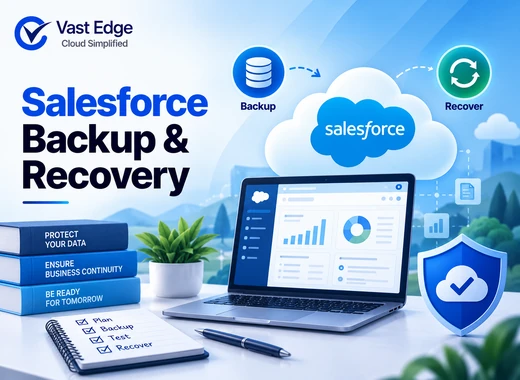
You can back up Salesforce data through the native Data Export service, Data Loader or API-based extracts, metadata deployment tools, Salesforce’s paid backup offering, or an independent backup application. The right method depends on whether you need an archive, recurring protection, granular restore, metadata recovery, relationship preservation, or a complete recovery workflow.
Do not judge a backup only by whether it creates a file. A usable plan must define what is protected, how often recovery points are created, how long versions are retained, and how records, relationships, files, metadata, and permissions will be restored and validated. Salesforce protection should also fit the organization’s broader SaaS data recovery strategy.
How to Back Up Salesforce Data and Prepare for Recovery
Last Updated • 23 Sept 2026
S
AuthorSab
What needs to be protected in Salesforce?
Salesforce environments contain more than rows in standard objects. A complete inventory may include:
- Standard and custom object records
- Parent-child and lookup relationships
- Files, attachments, and content
- Custom fields and object definitions
- Flows, validation rules, layouts, and other metadata
- Users, roles, permission sets, and sharing configurations
- Knowledge, cases, opportunities, activities, and other business-specific records
- Integration configurations and reference data
Coverage varies by method, Salesforce edition, API availability, and product configuration. Confirm the current Salesforce documentation and the selected tool’s support before relying on any method. Teams new to the subject can first review these Salesforce backup fundamentals.
Method 1: Use Salesforce Data Export
Salesforce provides a native Data Export service that administrators can access from Setup. Depending on the organization’s configuration and edition, an administrator may request an export or schedule available exports. The output is intended primarily for data extraction and archival.
A typical process is:
A typical process is:
- Open Setup with an authorized administrator account.
- Find Data Export in Quick Find.
- Choose the available immediate or scheduled option.
- Select the objects and any supported content or files required.
- Download the export files when Salesforce makes them available.
- Store them in a controlled location with retention and access rules.
- Record the export date, scope, owner, and storage location.
Native export is useful for obtaining copies of records, but recovery may require mapping, sequencing, and reloading data. Relationships and automation can make restoration more complicated than importing a CSV file.
When native export fits
- A periodic archive is sufficient.
- Administrators can manage download and storage procedures.
- The organization has a separate method for metadata.
- Recovery can tolerate manual preparation and validation.
Questions to verify
- How frequently can exports run for the current edition?
- Are files and attachments included in the selected export?
- Who downloads and secures the output before links expire?
- How will related objects be reloaded in the correct order?
- How will duplicate automation or integrations be controlled during restore?
Method 2: Use Data Loader or API-based extraction
Data Loader and Salesforce APIs can extract selected objects on demand or through a custom process. This approach provides flexibility for teams that know exactly which data they need and can operate scripts, integration jobs, or scheduled workflows.
API-based protection is not automatically a complete backup. The team must design pagination, error handling, object coverage, relationship mapping, retention, encryption, monitoring, and restoration. API limits and schema changes also need attention.
This method can work for targeted archival or a controlled engineering workflow. It becomes harder to maintain when the environment contains many custom objects, high data volumes, changing metadata, or strict recovery targets.
Method 3: Back up Salesforce metadata
Data and metadata solve different recovery problems. Data represents business records. Metadata defines how the organization behaves and appears, including objects, fields, flows, layouts, validation rules, and other configuration components.
Teams may retrieve supported metadata through Salesforce development and deployment tools, version-control workflows, or specialized backup tools. A metadata repository is valuable for change tracking and deployment, but it must be governed like any other recovery asset.
Document which metadata types are included, how often changes are captured, which environments are covered, and how dependencies will be restored. A record recovery can fail operationally if the required field, automation, or permission configuration no longer exists.
Method 4: Evaluate native or independent backup applications
Purpose-built backup products may automate recovery points, retention, search, monitoring, and restore workflows. Salesforce also offers a paid native backup product. Independent applications vary substantially in their scope, storage model, recovery controls, and support.
Evaluate any option using the same neutral criteria:
Evaluate any option using the same neutral criteria:
- Supported Salesforce objects, editions, and clouds.
- Files, attachments, and content coverage.
- Metadata and configuration coverage
- Backup frequency and retention controls
- Granular, bulk, and point-in-time restore options.
- Relationship handling and restore sequencing
- Sandbox and production support
- Encryption, access controls, audit logs, and deletion protection
- Recovery testing and validation features
- API consumption, data residency, portability, and exit procedures
- Support responsibilities during an incident
The product page for Vast Edge Salesforce backup solutions can be reviewed after the organization defines these requirements.
Export versus backup versus recovery
These terms should not be treated as interchangeable.
An export creates a copy of selected data in a transferable format. It can support archival, analysis, migration, or a custom recovery process.
A backup preserves protected data and, where supported, files and metadata as managed recovery points with monitoring and retention.
Recovery returns the required information or configuration to a usable state. It includes selecting a clean point, restoring dependencies, controlling automation, validating results, and returning the environment to business users.
A company may possess exports but still lack a tested recovery procedure. Conversely, a backup platform may create recovery points successfully while an undocumented permission or integration dependency prevents timely restoration.
Build a Salesforce backup strategy
The steps below complement this detailed Salesforce backup and recovery guide by focusing on recoverability, ownership, and validation.
- 01Define the loss scenarios
List credible events such as accidental deletion, incorrect data import, faulty integration, unwanted automation, malicious change, metadata deployment error, and account compromise. Each scenario affects a different combination of objects and configurations. - 02Set recovery objectives
Define the maximum acceptable data loss, or RPO, and recovery time, or RTO, for critical processes. Sales, service, billing, and regulated records may require different targets. - 03Map coverage
Create a table of critical objects, files, metadata, owners, protection frequency, retention, and recovery method. Include custom objects and managed-package data when they matter to business operations. - 04Protect administrative access
Limit backup administration, use multifactor authentication, separate duties where practical, and retain audit evidence. A compromised production administrator should not automatically have unrestricted power to delete recovery copies. - 05Monitor every protection job
Track failures, missing objects, authentication problems, API errors, unexpected volume changes, and retention issues. Assign an owner and escalation path for each alert. - 06Document the restore sequence
Identify object dependencies, external IDs, lookup relationships, duplicate rules, triggers, flows, and integrations that may affect restoration. Define when automation must be paused and how it will be restarted safely. - 07Test and validate
Test a small record-level recovery and a broader scenario. Validate record values, relationships, ownership, sharing, files, reports, automation, and connected systems. Record the actual recovery time and unresolved gaps.
Salesforce recovery checklist
Before restoring data:
Before restoring data:
- 01Stop the import, integration, automation, or user action causing further damage.
- 02Preserve relevant logs and evidence.
- 03Identify affected objects, records, fields, users, and time range.
- 04Select a recovery point created before the unwanted change.
- 05Confirm dependencies and the order of restoration.
- 06Decide which automation and integrations must be paused.
After restoration:
- 01Compare record counts and key values with the recovery source.
- 02Confirm lookup and parent-child relationships.
- 03Check ownership, permissions, sharing, files, and attachments.
- 04Run critical reports and business workflows.
- 05Re-enable integrations in a controlled order.
- 06Document approvals, exceptions, and corrective actions.
Loading...