Hybrid Cloud Management for Unified Visibility and Control

Last Updated • 5 Nov 2026
C
AuthorChloe Gallagher

What Is Hybrid Cloud Management ?

image

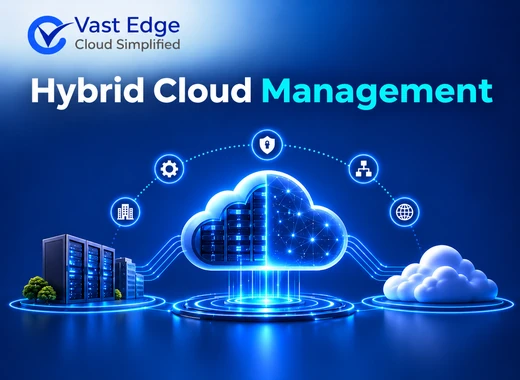
Hybrid cloud management brings public cloud, private cloud, and on-premises resources into a coordinated operating model. Teams need consistent visibility, access controls, cost governance, monitoring, and deployment processes across these environments.

Without centralized management, each platform can require separate tools and specialist skills. This can increase operating costs and make security, audit, and resource decisions harder to manage.

Why Hybrid Cloud Environments Are Difficult to Manage?

Managing public cloud, private cloud, and on-premises infrastructure together can create operational challenges for IT teams. Each environment may use different tools, security policies, and monitoring systems, making centralized management more difficult.

Common challenges include limited resource visibility, inconsistent access controls, rising cloud costs, and complex application deployments. Without coordinated management, teams may struggle to monitor performance, maintain security, and allocate resources efficiently.

How Vast Edge Supports Hybrid Cloud Management ?

Vast Edge helps organizations manage cloud resources through a unified operating view. Depending on the environment, teams can monitor services, manage selected credentials and encryption settings, control resource usage, and review operational events.

The implementation should define which actions are automated, which require approval, and how access is recorded.

Hybrid Cloud Management Capabilities

  • 1

    Self Service and Visibility

    Vast Edge provides a self-service portal to manage, optimize, and govern your clouds and gives you a complete picture of your cloud resources for end-to-end visibility.
  • 2

    Cost and Quota Controls

    Vast Edge helps the organizations to manage cloud usage with the quota system, minimize cloud costs and maximize cloud performance.
  • 3

    DevOps and Container Operations

    Vast Edge ensures continuous delivery and deployment with automate container management and increased DevOps productivity with tool integration.
  • 4

    Monitoring and Audit Trails

    Vast Edge provides centralized dashboard modules to orchestrate and terminate services, set alerts with process-level monitoring, and record access audit trail.

Vast Edge offers Small and Medium Business Discounts. Connect with us to learn more.

OpenShift on IBM Cloud

OpenShift platform on IBM Cloud allows businesses to run containerized apps and workloads and aid developers to develop and deploy apps to multiple hosts. Powered by Kubernetes, it delivers business-critical apps development platform along with cutting-edge customer experience. The Red Hat OpenShift platform on IBM cloud streamlines the setup of hybrid software apps various platforms & saves time on maintenance and modernization.

OpenShift Managed Service by Vast Edge

OpenShift on IBM Cloud helps businesses to declutter IT complexity, build and scale applications confidently, and handle the unexpected business surge smoothly. It also assists SMBs to reduce operational costs by up to 20% and gain a competitive lead. The Red Hat OpenShift services deliver industry-leading Kubernetes expertise, add more value to businesses and improve performance. Various benefits of hosting OpenShift on IBM Cloud are:
  • 01
    Lower total cost of ownership (TCO).
  • 02
    Red Hat premium support with 99.99% SLAs.
  • 03
    Choice-based services leveraging high availability and flexibility.
  • 04
    Full-stack management controlled by Kubernetes, along with the support of experienced & 24x7 global SRE team.
  • 05
    Development and deployment of application platform with pipelines, monitoring, logging, security, service mesh and so on.

Why OpenShift IBM Cloud Services?

OpenShift on IBM Cloud offers a container management solution that enables customers to stay updated with technology transformation and delivers an easily manageable user experience. It also allows them to containerize and deploy large workloads in Kubernetes, ensuring high business speed and reliability. Key benefits of OpenShift on IBM Cloud are:
  1. Powerful and flexible platform that keeps business moving, enhances business growth and overcomes competition.
  2. Cost management and subscription bring increased visibility into costs and subscription utilization.
  3. Application security monitoring makes apps more stable without reducing developer productivity.
  4. Application-centric UI enables the quick building of codes, container deployment, etc.
  5. Easy access to the application by the team while eliminating barriers to success.
  6. Simple and quick application deployment with minimum effort.

OpenShift IBM Cluster-as-a-Service (CaaS)

OpenShift IBM Cluster-as-a-Service (CaaS) allows enterprise to streamline application development and deployment leveraging dynamic scalability and security. It is highly available and manages workloads to gain increased responsiveness, scalability, and reliability. The Red Hat OpenShift CaaS streamlines business productivity and offers flexible pricing and industry-certificated compliance. The key benefits of OpenShift IBM CaaS are:
  • 01
    Reliable and 24x7 support.
  • 02
    Workload and data security with "Bring Your Own Key" feature.
  • 03
    Continuous availability across multiple zones with automated failure recovery.
  • 04
    Quick one-click provisioning and metered billing with long-term commitment.
  • 05
    Vulnerability advisor detects common security issues and delivers a better dashboard UI and UX.

OpenShift Self-Managed Products by Vast Edge:

OpenShift Container Platform: OpenShift Container Platform helps enterprises to build and deliver business-critical applications faster while migrating existing workloads to cloud. It also offers push-button to leverage automatic platform updates for the container host, Kubernetes cluster, and application services running on the cloud. The Red Hat OpenShift Container Platform deploys developer-friendly workflows with built-in CI pipelines and source-to-image capability that enables a quick and direct connect of application with a container. The key features of OpenShift Container Platform are:
  1. In-built monitoring with Grafana dashboards for visualization.
  2. Security Checks starts with Red Hat Enterprise Linux and continuing throughout the application lifecycle.
  3. Multiple technology integrations with hundreds of partners and invoke organizations to make investments.
  4. Administrative policies across multiple teams with a unified console across all Red Hat OpenShift clusters.

Kubernetes engine

OpenShift Kubernetes Engine offers access to an easy-to-install Kubernetes environment and an extensive compatibility test matrix with multiple software elements. It includes a Red Hat Enterprise Linux Virtual Data center and Red Hat CoreOS entitlement that uses an integrated Linux operating system with enhanced runtime. The OpenShift Kubernetes Engine is a subscription compatible window container that leverages same SLAs, bug fixes, and common vulnerabilities and errors protection similar to that of OpenShift Container Platform. Some of the features of Kubernetes Engine are:
  • 01
    Offers Enterprise-ready security configurations like security context constraints, pod security policies, best practice network and storage settings.
  • 02
    Allows customers to use a Kubernetes Network Policy for creating micro-segmentation between deployed application services on the cluster.
  • 03
    Core user experience with full access to Kubernetes Operators, pod deployment strategies, Helm, and OpenShift Container Platform templates.
  • 04
    Access to all maintained and curated content that the OpenShift Container Platform eco-system offers.

When to Consider Hybrid Cloud Consulting

Consider hybrid cloud consulting when teams lack consistent visibility across platforms, cannot allocate cloud costs reliably, or manage security and deployment processes separately in each environment. Start with an inventory of workloads, dependencies, controls, and service owners before selecting management tools.

Loading...