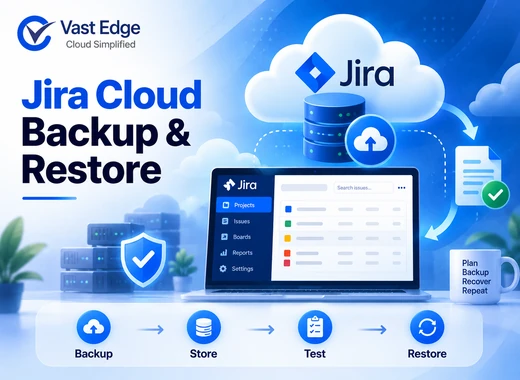
To back up Jira Cloud, first define the projects, issues, attachments, comments, users, workflows, and configuration data required for recovery. Then choose a supported native export, an API-based process, or an automated backup product. Store recovery copies separately, document retention, and test whether the protected data can be restored accurately.
Creating an export is only the first step. A reliable Jira recovery plan also addresses project dependencies, workflow configuration, app data, permissions, user mappings, and validation after restoration. These controls should form part of the organization’s wider SaaS data recovery strategy.
How to Back Up Jira Cloud and Test a Reliable Restore
Published • 22 Sept 2026
D
AuthorDevon Miller
Decide what a Jira backup must protect
Jira supports many business processes, so backup scope should follow how each organization uses it. A software team may depend on epics, sprints, issues, comments, and attachments. A service team may also depend on queues, request types, service-level settings, and portal configurations.
Build a coverage inventory that includes, where applicable:
Build a coverage inventory that includes, where applicable:
- Projects, issues, subtasks, and issue links
- Comments, worklogs, histories, and attachments
- Custom fields, screens, schemes, and issue types
- Workflows, statuses, transitions, conditions, validators, and post functions
- Boards, filters, dashboards, and agile configuration
- Users, groups, roles, permissions, and ownership mappings
- Automation rules and notification settings
- Jira Service Management configurations
- Data created or stored by marketplace apps
- Connections with Confluence, source control, chat, CI/CD, or other systems
Not every export or backup method covers every item. Marketplace-app data is especially important to verify because it may be stored or recovered through the app provider rather than Jira itself. This division of responsibility is a core part of the SaaS shared responsibility model.
Understand the available backup methods
Native Jira Cloud exports
Atlassian provides native export and backup functions for supported Jira Cloud data. Availability, frequency, content, and restore behavior can change by product and plan, so administrators should use current Atlassian documentation as the source of truth.
Native exports may be appropriate for an occasional archive, migration, or administrator-controlled snapshot. The operating procedure should specify who initiates the export, which content options are selected, where the output is stored, and how its completeness is verified.
Do not assume an exported archive can meet a short Recovery Time Objective. Downloading, preparing, importing, remapping users, and validating a large environment can take more time than creating the export. Review the documented limitations of native Jira Cloud backup before relying on exports alone.
API-based backup
The Jira REST API can support targeted extraction of issues and related information. An API process gives engineering teams control over schedules and selected data, but they must build and maintain object coverage, pagination, rate-limit handling, authentication, error monitoring, retention, and restoration logic.
API extraction works best when the organization has clear requirements and the technical resources to maintain the process. It should not be presented as complete protection unless the team has verified configuration, attachment, relationship, and app-data coverage.
Automated backup applications
Purpose-built products may offer scheduled recovery points, retention controls, monitoring, search, audit history, and restoration workflows. Capabilities differ. Evaluate products against the same written recovery requirements rather than a long feature list.
Useful evaluation questions include:
Useful evaluation questions include:
- 01Which Jira products, plans, and data types are supported?
- 02Are attachments, comments, worklogs, histories, and custom fields included?
- 03How are workflows, schemes, permissions, boards, and automation handled?
- 04Can one issue, one project, selected items, or a broader dataset be restored?
- 05Are relationships and user mappings preserved?
- 06How are app data and Confluence dependencies handled?
- 07What backup frequency and retention options are available?
- 08How are failed or incomplete backups reported?
- 09Can recovery be tested without overwriting production data?
Organizations evaluating managed or automated protection can review Vast Edge Jira Cloud backup after documenting these needs.
Create a Jira backup schedule
Backup frequency should follow how quickly Jira changes and how much recent activity the organization can lose. A team handling customer incidents or release-blocking issues may need a smaller Recovery Point Objective than a low-activity internal project.
Consider:
Consider:
- Daily volume of new and updated issues
- Frequency of attachment and comment changes
- Workflow and configuration change rate
- Automated imports and integration activity
- Acceptable data loss for critical projects
- Time required to complete and verify protection
- API limits or native export restrictions
- Retention required for investigations or audits
Use different schedules when projects have materially different business impact. Also create a protected recovery point before large imports, workflow redesigns, migrations, or marketplace-app changes.
Protect Jira workflows and configurations
A project’s issues may be intact while its operating process is broken. Workflows define how work moves through statuses and may include validators, conditions, and post functions. Screens, field configurations, notification schemes, permissions, and automation also affect whether restored data is usable.
Maintain an inventory of important configuration components and their dependencies. Record configuration changes through an approved change process. If supported by the selected method, preserve historical versions that allow the team to return to a known configuration.
Before a major change, capture the current state and document the expected result. If an error occurs, the team can compare the new configuration with the previous one instead of reconstructing it from memory.
Build a Jira restore runbook
A restore runbook explains what to do after accidental deletion, failed automation, incorrect bulk change, integration error, account compromise, or configuration damage. It should connect Jira-specific steps with the organization’s broader backup and disaster recovery plan.
- 01Step 1: Stop further changes
Pause the bulk operation, automation rule, integration, script, or user access causing damage. Avoid broad corrective actions until the scope is understood. - 02Step 2: Preserve evidence
Save relevant audit logs, timestamps, issue keys, user actions, integration logs, and change records. This information helps identify the clean recovery point and supports a security or compliance review. - 03Step 3: Define the affected scope
Identify projects, issues, fields, workflows, attachments, users, and time ranges. Determine whether the incident changed data, configuration, or both. - 04Step 4: Select a clean recovery point
Choose a recovery point created before the first harmful change. Confirm that it contains the required projects and related content. - 05Step 5: Plan dependencies
Map users, custom fields, issue types, workflows, schemes, filters, automation, app data, and connected systems. Decide which integrations must remain paused during recovery. - 06Step 6: Restore in a controlled order
Restore foundational configuration and reference data before dependent items when the recovery method requires it. Avoid creating duplicates or triggering unwanted notifications and automation. - 07Step 7: Validate the result
Check data and function, not only job status. Obtain approval from the project or service owner before reopening normal activity.
Jira restore validation checklist
Validate a representative sample and any high-impact records:
- 01Expected project and issue counts
- 02Issue keys, summaries, descriptions, statuses, and dates
- 03Parent, subtask, epic, and linked-issue relationships
- 04Comments, worklogs, histories, and attachments
- 05Custom field values and option mappings
- 06Workflow statuses and permitted transitions
- 07Boards, filters, dashboards, and saved queries
- 08Users, groups, roles, ownership, and permissions
- 09Notifications and automation behavior
- 10Service project queues, request types, and portal behavior
- 11App data and connected-system references
Document missing elements, mapping changes, errors, elapsed recovery time, and corrective action. A successful import that loses workflow behavior or attachment access is not a complete recovery.
Test recovery before an incident
Start with a narrow scenario, such as one deleted issue with comments and an attachment. Confirm that the method can locate the correct recovery point and return the content with appropriate relationships and permissions.
Next, test a project-level or configuration scenario in an approved non-production location when possible. Measure actual recovery time and compare it with the Recovery Time Objective. Use established cloud disaster recovery testing practices to document results and corrective actions. If a test requires manual steps, document who performs them and how long each takes.
Repeat tests after major schema changes, new apps, authentication changes, migrations, or large growth in attachments and issues. A recovery process verified against last year’s configuration may no longer be reliable.
Common Jira backup mistakes
- Treating an export as a finished recovery plan
An export has value, but the plan must also cover storage, retention, restore procedure, dependencies, permissions, and validation. - Protecting issues but not configurations
Issues depend on fields, workflows, schemes, users, and permissions. Missing configurations can leave recovered records unusable. - Ignoring app data
Marketplace apps may store essential information separately or use different recovery processes. Confirm responsibility with each relevant provider. - Keeping the only recovery copy under the same administrator
Separate backup access and deletion controls from day-to-day production administration where practical. - Testing only job completion
A green backup status does not prove that a project can be restored accurately and within the expected time.
Loading...