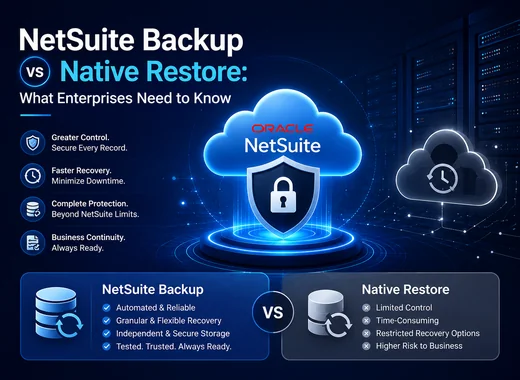
Most organizations do not think seriously about recovery until data is lost.
An accidental bulk deletion, failed integration, sandbox refresh, or data corruption event is often the moment teams discover the difference between NetSuite's native restore capabilities and a dedicated backup platform.
The question is not whether NetSuite provides restore capabilities. It does.
The real question is whether native restore meets the recovery expectations of modern organizations that depend on NetSuite for finance, operations, inventory, procurement, and customer management.
This guide explains what NetSuite native restore covers, where limitations may exist, and how dedicated backup platforms differ when organizations need greater recovery flexibility and operational control.
Organizations evaluating broader recovery readiness may also benefit from reviewing our guide on NetSuite Disaster Recovery Best Practices.
NetSuite Backup vs Native Restore: What Enterprises Need to Know
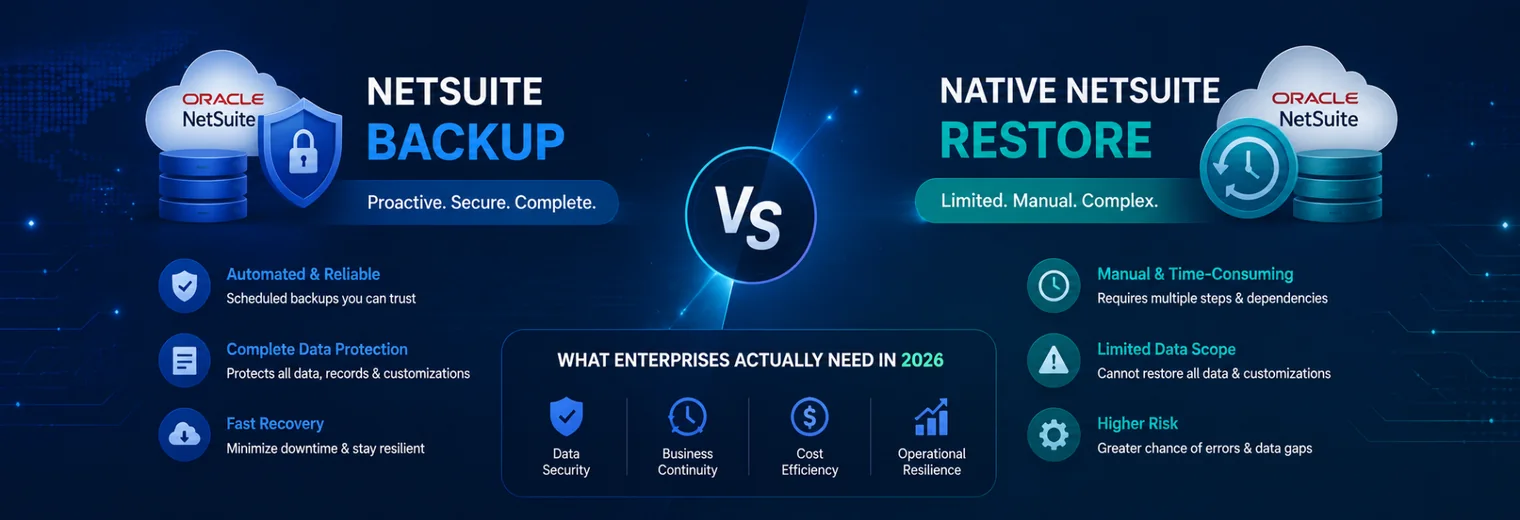
What Does NetSuite Native Restore Actually Cover?
NetSuite maintains infrastructure-level protections as part of Oracle's platform operations. These mechanisms are designed to support platform availability and infrastructure continuity.
In certain situations, NetSuite Support may assist with recovery requests.
What Native Restore Can Address
- 1Infrastructure-level failures managed by Oracle
- 2Certain platform-related incidents
- 3Limited recovery requests initiated through NetSuite Support
What Native Restore May Not Address
- Granular record-level recovery
- Self-service restoration
- Point-in-time recovery to specific timestamps
- Customer-controlled recovery workflows
- Immutable backup retention
- Recovery aligned with custom RTO and RPO objectives
Organizations evaluating recovery readiness should also understand the broader business reasons why backup matters beyond disaster recovery, including compliance, business continuity, audit readiness, and long-term data retention. Read our guide on why NetSuite backup is important for protecting business-critical ERP data.
Native Restore vs Dedicated Backup: Side-by-Side Comparison
| Capability | Native NetSuite Restore | 🏆 Dedicated Backup Platform |
|---|---|---|
| Self-Service Recovery | Limited | Yes |
| Record-Level Recovery | Limited | Yes |
| Point-in-Time Recovery | Limited | Yes |
| Historical Retention | Limited | Yes |
| Sandbox Protection | Limited | Yes |
| Compliance Reporting | Limited | Yes |
| Recovery Control | Oracle Support Dependent | Customer Controlled |
| Recovery Visibility | Limited | Extensive |
| Operational Flexibility | Limited | High |
The exact capabilities available will vary by solution, but dedicated backup platforms are generally designed to provide more recovery flexibility than native restore processes.
Common Recovery Scenarios Where Native Restore May Not Be Enough
- 01Accidental Bulk Deletion
A user may unintentionally delete transaction records, customer records, or operational data during routine maintenance or imports.
Recovering only the affected records can become challenging without dedicated recovery controls. - 02Sandbox Refreshes
When a sandbox environment is refreshed, existing test data, customizations, workflows, and configurations may be overwritten.
Without a separate backup process, development work may be difficult to recover. - 03Integration Errors
Modern NetSuite environments frequently exchange data with CRM, payroll, e-commerce, procurement, and third-party platforms.
A failed integration can modify large volumes of records before issues are detected. - 04Data Corruption Events
Incorrect imports, workflow issues, or automation errors can create widespread changes across an environment.
Organizations often require access to historical recovery points to reverse these changes efficiently.
Why Point-in-Time Recovery Matters
Many data issues are not identified immediately.
A configuration issue, integration error, or unauthorized change may remain unnoticed for days or weeks before users discover the problem.
Point-in-time recovery allows organizations to restore data from a specific historical moment rather than relying solely on the most recent copy.
This capability can help reduce operational disruption and simplify recovery investigations.
Why Sandbox Protection Matters
A common challenge occurs when production data refreshes overwrite existing sandbox work.
Organizations often maintain backup processes specifically to preserve:
- Custom workflows
- Scripts
- Test records
- Development configurations
- Validation environments
Protecting sandbox data can help reduce redevelopment effort and accelerate project timelines.
Real-World Scenarios Where Backup Changes the Outcome
- 01ERP Migration Projects
Organizations migrating between ERP environments often need continued access to historical records for audits, reporting, and compliance purposes.
Dedicated backup retention can help preserve historical information throughout migration projects. - 02Audit Investigations
Auditors frequently request historical transaction details, record changes, and supporting documentation.
Access to retained historical data can simplify audit preparation and response. - 03Operational Recovery Events
When critical records are modified unintentionally, organizations often need to recover only the affected records rather than restore an entire environment.
Granular recovery options can significantly reduce downtime and operational disruption.
Questions Every NetSuite Administrator Should Ask
- 01Can deleted records be recovered without opening a support request?
- 02Can data be restored to a specific point in time?
- 03How are sandbox environments protected before refreshes?
- 04How long are historical recovery points retained?
- 05Can recovery procedures be tested before an actual incident occurs?
- 06Are recovery processes aligned with business continuity requirements?
NetSuite native restore and dedicated backup platforms serve different purposes. Native restore helps address certain platform-level recovery situations, while dedicated backup platforms are designed to provide greater recovery flexibility, historical retention, sandbox protection, and operational control. Organizations that understand these differences before an incident occurs are typically better prepared to recover critical ERP data and maintain business continuity when recovery events arise. If your organization is evaluating recovery options beyond native restore capabilities, explore the NetSuite Backup & Restore Solution from Vast Edge to learn how automated backup, granular recovery, and long-term retention can support your ERP recovery strategy.Conclusion
FEATURED BY
Google Cloud
Vast Edge's live recovery interface for cloud backups was highlighted by Google Cloud.
Vast Edge, built on GCP, launches the first live recovery interface for cloud backups, enabling IT teams to inspect, search, preview and validate the exact data available for restore.
Jul 27 – Jul 31
Vast Edge, built on GCP, launches the first live recovery interface for cloud backups, enabling IT teams to inspect backup contents in real time. This transforms backups from a blind, log-based process into an interactive platform where teams can instantly search, preview, and validate the exact data available for restore.
This platform protects Google Workspace, NetSuite, Salesforce, Workday and many SaaS environments, providing complete visibility and enterprise-grade oversight.
Visit Vast Edge Backup & Disaster Recovery and get a free trial of their backup solutions on the GCP Marketplace for Google Workspace Backup, NetSuite Backup, Salesforce Backup, and Workday Backup.
Search
Find your data instantly
Preview
View before you restore
Validate
Ensure the right data
Recover
Restore with confidence