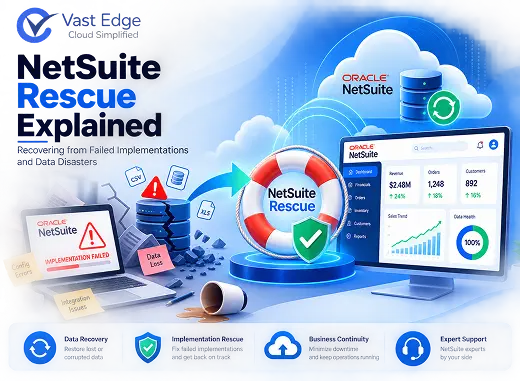
NetSuite implementations fail more often than many organizations expect. Gartner estimates that up to 75% of ERP projects experience significant challenges during or after go-live. NetSuite is a mature cloud ERP platform, but it is not immune to implementation issues, data problems, or operational failures.
When a NetSuite environment breaks down, the impact can spread quickly. Financial close processes slow down, inventory records become unreliable, integrations stop functioning correctly, and teams often fall back to spreadsheets while trying to stabilize the system.
NetSuite rescue is the structured process of diagnosing what went wrong, stabilizing a struggling environment, recovering lost or corrupted data, and restoring the platform to support business operations effectively.
NetSuite Rescue Explained: Recovering from Failed Implementations and Data Disasters
What Is NetSuite Rescue?
Organizations typically seek rescue services when they encounter:
- Failed or stalled go-live projects
- Data migration issues
- Corrupted records from integrations
- Workflow or automation failures
- Long-standing configuration problems
- User adoption challenges
Unlike standard NetSuite support, rescue engagements address environments experiencing significant operational issues rather than routine maintenance requests.
Signs Your NetSuite Environment May Need Rescue
Common indicators include:
- Financial reports that do not reconcile with subsidiary ledgers or bank records
- Users relying on spreadsheets instead of NetSuite
- Increasing month-end close times
- Integration failures creating duplicate or missing records
- Approval workflows routing transactions incorrectly
- Inventory discrepancies despite regular cycle counts
- Lack of support from the original implementation partner
- Loss of key personnel who understood the system configuration
- Conflicting customizations and workflows
- Frequent reports of inaccurate or inconsistent data
When several of these issues occur simultaneously, a structured NetSuite rescue engagement is often the most effective path forward.
Common Causes of NetSuite Failure
- Failed Implementations
Many rescue projects begin with an implementation that went live before it was fully ready.
Common causes include:
🚨 Aggressive project timelines
🧪 Limited testing
📋 Poor requirements gathering
🏭 Insufficient industry expertise
⚙️ Scope reductions without process adjustments
A failed implementation may appear successful initially, but problems often emerge during financial close, audits, or high-volume operational periods. - Integration Failures
NetSuite frequently connects with CRM platforms, e-commerce systems, payroll solutions, logistics applications, and other business tools.
When integrations fail, organizations may experience:
🔄 Missing transactions
📑 Duplicate records
⚡ Synchronization issues
📊 Reporting discrepancies
Integration-related issues can remain unnoticed for weeks before their impact becomes apparent. - Data Migration Errors
Data migration is one of the most challenging aspects of any ERP implementation.
Common migration issues include:
📂 Missing historical records
🔗 Broken record relationships
🗺️ Incorrect field mappings
✅ Data validation failures
📥 Incomplete imports
Once users begin entering new data, correcting migration issues becomes significantly more complex. - Workflow Misconfigurations
NetSuite workflows can automate critical business processes, but configuration mistakes can create widespread operational problems.
Examples include:
🛂 Incorrect approval routing
🎯 Unintended workflow triggers
⚙️ Broken automation logic
❌ Transaction processing errors
Because workflows operate continuously, small configuration issues can affect thousands of records over time. - Poor User Adoption
Even technically sound implementations can fail when users struggle to adopt the system.
Contributing factors often include:
🎓 Limited training
🔄 Poor process alignment
📚 Lack of documentation
👥 High employee turnover
🧩 Complex user experiences
User adoption issues frequently reveal deeper problems in system design and business process alignment.
The 5-Stage NetSuite Rescue Framework
Stage 1: Assessment
The assessment phase establishes a clear understanding of the environment's current state. This typically includes: 🔹 Financial reconciliation reviews 🔹 Workflow analysis 🔹 Integration evaluations 🔹 Data quality assessments 🔹 User adoption reviews The objective is to identify root causes rather than focusing solely on visible symptoms.
Stage 2: Stabilization
Stabilization prevents additional damage while a recovery plan is developed. Common actions include: 🔹 Disabling problematic workflows 🔹 Pausing failing integrations 🔹 Implementing temporary manual processes 🔹 Establishing monitoring controls The goal is to stop issues from escalating while remediation efforts are planned.
Stage 3: Recovery
The recovery phase addresses the underlying problems identified during assessment. Activities may include: 🔹 Correcting migration errors 🔹 Rebuilding workflows 🔹 Repairing integrations 🔹 Restoring corrupted records 🔹 Reconfiguring business processes This is often where backup and recovery capabilities become critical. Organizations with access to historical recovery points can typically resolve data issues much faster than those relying solely on manual remediation. For a deeper understanding of recovery options, readers can explore NetSuite Backup vs Native Restore: What Enterprises Need to Know.
How NetSuite Aftercare Prevents Future Failures
NetSuite aftercare helps organizations maintain system health through:
- Workflow monitoring
- Integration reviews
- Data quality management
- Security assessments
- Change management processes
- Documentation updates
Organizations that invest in aftercare are generally less likely to require future rescue engagements.
Why Backup Matters During NetSuite Recovery
During a rescue project, organizations often need to:
- 01Recover deleted records
- 02Reverse incorrect updates
- 03Restore historical data
- 04Investigate data integrity issues
- 05Validate previous system states
Without backup coverage, recovery frequently involves manual corrections that consume significant time and resources.
As discussed in Why Protecting NetSuite Data Is Critical for Modern ERP Environments, backup plays a key role in protecting business-critical ERP data.
Organizations focused on broader recovery readiness should also review NetSuite Disaster Recovery: Best Practices for Recovery Readiness and Business Continuity, which explains how backup, recovery planning, and business continuity work together.
NetSuite Rescue Readiness Checklist
- 01Environment Assessment
✦ Have root causes been identified?
✦ Are workflow and integration logs available?
✦ Is implementation documentation accessible?
✦ Are user permissions documented? - 02Data Protection
✦ Is a recent backup available?
✦ Can the approximate start date of the issue be identified?
✦ Is granular recovery possible? - 03Recovery Planning
✦ Have critical business processes been prioritized?
✦ Are temporary workarounds in place?
✦ Is executive leadership aligned on recovery objectives? - 04Prevention
✦ Is ongoing monitoring planned?
✦ Will updated documentation be maintained?
✦ Does the project include user retraining?
NetSuite rescue is a practical reality for organizations facing implementation failures, data corruption, integration issues, or operational breakdowns. Successful recovery depends on identifying root causes, stabilizing the environment, restoring data integrity, validating results, and implementing long-term governance improvements. Organizations that maintain strong backup practices, invest in NetSuite aftercare, and regularly review their recovery readiness are typically better positioned to minimize disruption and recover quickly when problems occur. For organizations evaluating ways to strengthen ERP resilience, a dedicated NetSuite Backup & Disaster Recovery Solution can provide the backup, recovery, retention, and recovery-readiness capabilities needed to support both rescue efforts and long-term business continuity.Conclusion
