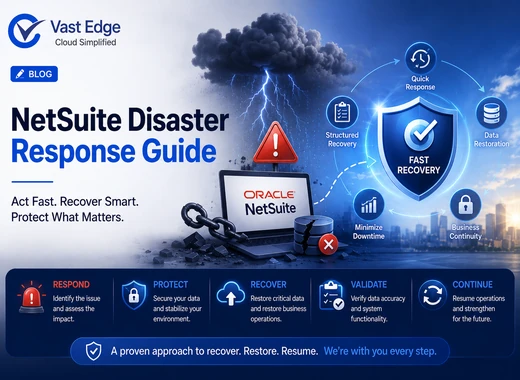
A NetSuite disaster rarely comes with a warning. A misconfigured workflow runs overnight and changes 50,000 records. A bulk import loads data into the wrong transaction type. An integration pushes malformed data from a connected platform for weeks before anyone notices. A departing administrator makes changes that affect data integrity before access is removed.
The difference between a disruption that takes days to recover from and one that takes months often depends on what happens in the first few hours. Organizations that follow a structured response process, assessing the scope, preserving evidence, stopping ongoing damage, and recovering systematically, tend to achieve far better outcomes than those that jump straight into fixing visible issues.
This guide outlines the actions to take, in order, when a NetSuite disaster occurs.
What Should You Do Immediately After a NetSuite Disaster?
Quick Answer: What Should You Do Immediately After a NetSuite Disaster?
- Stop any active processes causing further damage, such as integrations, workflows, or bulk imports.
- Assess the scope of the issue.
- Preserve audit logs and evidence before making changes.
- Notify key stakeholders.
- Verify data integrity against trusted external sources.
- Execute your recovery plan.
One of the biggest mistakes organizations make is fixing individual records before understanding the full impact of the issue. Isolated fixes often complicate recovery and make root cause analysis more difficult.
What Is Considered a NetSuite Disaster?
Common examples include:
Mass Accidental Deletion
Integration-Induced Data Flooding
Security Incidents
SuiteScript or Workflow Failures
Data Migration Problems
Regardless of the cause, a structured response is essential.
Step 1: Assess Scope and Impact
Start by answering four key questions:
- What happened?
- When did it start?
- How many records were affected?
- Is the issue still occurring?
Review NetSuite system notes, audit logs, workflow logs, SuiteScript logs, and integration logs immediately. These records provide critical evidence and often reveal the source of the problem.
Define the boundaries of the incident. This could be:
- 01Records modified during a specific time window
- 02A particular transaction type
- 03Data affected by a specific integration or script
Establishing clear boundaries prevents unnecessary recovery work and helps ensure nothing is overlooked.
Avoid making corrections at this stage. Recovery efforts should begin only after the scope is fully understood.
Step 2: Pause Integrations and Bulk Imports
Examples include:
- Scheduled integrations
- Workflow automations
- Bulk imports
- Custom scripts
An integration sending bad data will continue causing damage every time it runs. A faulty workflow will keep modifying records until disabled.
Temporarily pausing these processes is far easier than repairing the additional damage they create.
Communicate with any teams or vendors responsible for the affected integrations. They need to understand why data flow has been suspended and when normal operations may resume. Temporary manual processes may be required while systems remain offline.
Step 3: Preserve Audit Evidence and Logs
Export:
- 01Audit logs
- 02System notes
- 03Workflow logs
- 04Integration logs
- 05Saved searches showing the current state of affected records
This information serves two important purposes.
First, it helps determine what values records should contain after recovery.
Second, it preserves an incident record that may be required for compliance, legal, or insurance purposes.
For broader protection, organizations should also consider protecting critical NetSuite and ERP data through ongoing backup and archiving practices. Historical copies can provide additional reference points when investigating what changed and when.
Store exported files outside NetSuite. Do not rely on NetSuite itself as the sole repository for incident evidence.
Step 4: Notify Stakeholders
Finance relies on accurate transaction data. Operations depend on inventory accuracy. Customer service needs reliable customer and order information.
Once the scope is understood, inform stakeholders about:
- 1What is affected
- 2What remains unaffected
- 3Temporary workarounds in place
- 4Expected recovery timelines
- 5Business decisions that should be delayed until data integrity is restored
Without clear communication, departments may continue making decisions based on unreliable information.
Executive leadership should be informed of significant incidents, even if the technical team believes recovery is manageable internally.
Step 5: Verify Data Integrity
Examples include:
- 1Bank statements
- 2Financial reconciliations
- 3Physical inventory counts
- 4CRM systems
- 5Order management platforms
This step identifies which records are accurate and which require remediation.
Recovery should always be based on verified reference data. Knowing that something is wrong is not enough. You need to know what the correct data should look like.
Step 6: Execute Recovery Procedures
- 1The scope is understood
- 2Evidence has been preserved
- 3Active damage has been stopped
- 4Stakeholders have been informed
- 5Data integrity has been verified
| Scenario | Recovery Approach |
|---|---|
| Incorrectly modified records | Restore previous values from backup or correct using audit records. |
| Deleted records | Restore from backup or manually recreate if volume is manageable. |
| Integration-related corruption | Identify affected records and restore or reimport correctly. |
| Workflow errors | Correct workflow logic and restore affected transactions. |
| Import errors | Remove incorrect imports and reload with corrected mappings. |
| Security incidents | Disable compromised accounts, assess impact, and restore affected data. |
Organizations with a dedicated NetSuite backup solution have significantly more recovery options than those relying solely on native platform capabilities. Understanding NetSuite backup and native restore options can help organizations determine which recovery methods are available before an incident occurs.
