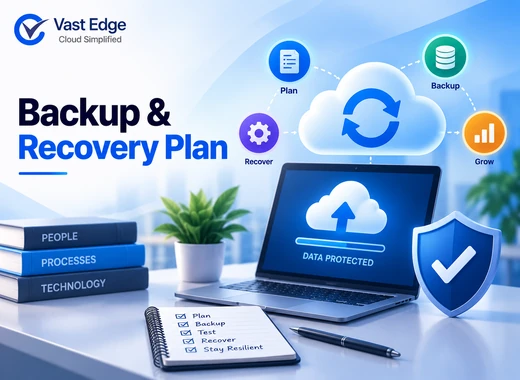
A small business backup plan identifies the data and systems the company cannot operate without, defines acceptable data loss and downtime, assigns protection methods, and documents how recovery will be tested. Start with business impact, not a product list. Protect critical SaaS applications, endpoints, servers, databases, and configuration data according to their recovery needs. This foundation helps growing companies plan backup and disaster recovery for SMBs around actual business risk rather than a generic product list.
The plan does not need to be complicated. It does need named owners, clear recovery targets, protected copies outside the production environment, and evidence that restoration works.
How to Create a Small Business Backup and Recovery Plan
Last Updated • 8 Oct 2026
C
AuthorChloe Gallagher
1. List the systems that keep the business operating
Begin with an inventory of the applications, devices, and data used to deliver services, collect revenue, support customers, pay employees, and meet legal obligations. A generic instruction to “back up everything” is difficult to fund and test.
Group the inventory by workload:
Group the inventory by workload:
- SaaS applications such as CRM, finance, project management, email, and collaboration tools
- Employee laptops, desktops, and shared file systems
- Servers, virtual machines, databases, and business applications
- Cloud infrastructure, object storage, and configuration files
- Identity, access, security, and network configurations
- Records retained for contracts, audits, or regulatory requirements
For application-specific processes, see how to back up Salesforce data and back up Jira Cloud.
Teams with a business-critical CRM can use this Salesforce recovery planning guide to map data, metadata, and restore requirements
For organizations using Workday, the Google Cloud Marketplace availability for Workday backup provides an additional evaluation and procurement path.
For each item, record the business owner, technical owner, data location, approximate size, dependencies, and current protection method. This exercise often reveals data stored in personal folders, exported spreadsheets, or unmanaged applications.
2. Rank data by business impact
Not every workload needs the same recovery speed. Rank each system according to what happens if it becomes unavailable or loses data.
A simple three-tier model is enough for many small businesses:
A simple three-tier model is enough for many small businesses:
- 01Critical: Revenue, customer service, payroll, identity, or regulated operations stop.
- 02Important: Work can continue briefly, but delays create customer or operational impact.
- 03Standard: The information has value, but a longer recovery window is acceptable.
Document why each workload belongs in its tier. The reason matters when budget decisions arise. A customer database may need frequent recovery points, while an archive of completed marketing assets may tolerate a longer interval.
3. Set RPO and RTO for each critical workload
Recovery Point Objective, or RPO, is the maximum amount of recent data the business can afford to lose. Recovery Time Objective, or RTO, is the maximum acceptable time to restore a system or process after disruption.
If a sales system has a four-hour RPO, the protection process must create usable recovery points often enough to keep potential data loss within four hours. If its RTO is eight hours, the people, tools, credentials, and dependencies needed for recovery must support that target.
Avoid choosing targets only because a tool offers them. Ask process owners what happens after 15 minutes, four hours, one day, and three days of lost access or lost changes. Use those consequences to set practical objectives.
4. Match backup frequency to change rate and RPO
There is no universal backup schedule for a small business. Frequency should reflect how quickly the data changes and how much recent work the company can lose.
Frequently changing transactional data may require multiple recovery points per day. Shared documents may need daily protection plus version history. Stable archives may need less frequent backup, but longer retention.
When setting a schedule, account for:
Frequently changing transactional data may require multiple recovery points per day. Shared documents may need daily protection plus version history. Stable archives may need less frequent backup, but longer retention.
When setting a schedule, account for:
- How often users or integrations change the data
- The approved RPO for the workload
- API limits, backup windows, and network capacity
- The time required to complete and verify a backup
- Retention needs for historical versions
- Seasonal peaks such as month-end or enrollment periods
A completed job is not automatically a usable recovery point. Monitor failures, incomplete coverage, unexpected data growth, and authentication changes.
5. Separate backup from sync and availability
File synchronization, replication, and platform availability solve different problems from backup. A synchronized deletion or corrupted update can spread to another location. High availability may keep a service online during an infrastructure failure, but it may not return records to an earlier clean state. The broader distinction is explained in how backup and disaster recovery protect business data.
A backup should preserve independent historical recovery points and support restoration after accidental deletion, faulty automation, malicious changes, corruption, or account compromise. For SaaS applications, confirm whether the protection covers only exported data or also files, relationships, metadata, and configurations required for useful recovery.
6. Keep recovery copies outside the production failure domain
A production administrator, compromised account, ransomware incident, or provider-side event should not be able to destroy every recovery copy. Use separation appropriate to the workload. Organizations facing adaptive threats should also include AI-driven ransomware recovery planning in their protection strategy.
Controls may include:
Controls may include:
- 01A different security account or administrative boundary
- 02Offsite or cross-region storage
- 03Immutable or write-protected retention where supported
- 04Separate credentials and multifactor authentication
- 05Limited deletion rights and approval controls
- 06Encryption in transit and at rest
The familiar 3-2-1 model can be a useful starting point for file and infrastructure workloads: three copies, on two types of media, with one copy offsite. Cloud and SaaS environments still require the underlying principle of independent, recoverable copies, even when the implementation differs.
7. Plan recovery, not only backup
Write the recovery sequence before an incident. Include who declares the incident, who can access the backup console, how the clean recovery point is selected, and how restored data will be validated. The runbook can be strengthened using established cloud disaster recovery best practices.
Recovery documentation should cover:
Recovery documentation should cover:
- Stop the source of continuing damage.
- Preserve logs and evidence when security or compliance may be involved.
- Identify affected systems, records, users, and time ranges.
- Select a recovery point created before the harmful event.
- Restore dependencies in the correct order.
- Validate record counts, relationships, permissions, integrations, and reports.
- Return the system to service with stakeholder approval.
- Record lessons and corrective actions.
Keep an offline or independently accessible copy of the plan. A document stored only inside an affected system will not help during an outage.
Businesses planning cloud failover can also review the main factors for selecting a cloud DR solution.
8. Test a realistic restore
Backup monitoring proves that a job ran. A restore test provides stronger evidence that people can recover the required data within the expected time.
Start with a small test, such as one file, record, mailbox, project, or dataset. Then test a broader business scenario involving dependencies and validation. Measure the actual recovery time and compare the result with the documented RTO.
Record the date, scope, recovery point, elapsed time, validation results, issues, and owner. Repeat testing after major application changes, migrations, permission changes, or new integrations. Critical systems generally need more frequent and more realistic testing than low-impact archives.
9. Estimate total cost using workload drivers
Backup cost is rarely explained by a single monthly price. A practical budget considers the workload, data volume, number of users or devices, backup frequency, retention period, storage location, recovery features, support, and administrative effort.
Compare pricing models against expected growth:
Compare pricing models against expected growth:
- 01Per user or account
- 02Per device, server, or workload
- 03Data volume or storage consumed
- 04Protected application or organization
- 05Feature or service tier
- 06Recovery, transfer, or long-term retention charges
Include the internal cost of manual exports, monitoring, failed jobs, documentation, and restore work. A low entry price can become expensive if coverage is incomplete or recovery requires substantial manual reconstruction.
10. Assign ownership and review the plan
Every protected workload needs a business owner and a technical owner. The business owner confirms the impact, retention, and recovery expectations. The technical owner maintains coverage, alerts, access, documentation, and tests.
Review the plan at least when the company adopts a new critical application, changes an integration, adds a location, changes compliance obligations, or experiences rapid data growth. Also review employee departure procedures so accounts and data remain protected after offboarding.
Organizations that need managed coverage across SaaS, cloud, and infrastructure can review Vast Edge backup and disaster recovery solutions. The commercial evaluation should follow the documented workload inventory, recovery objectives, and test requirements.
Small business backup plan checklist
- Inventory critical systems and data locations.
- Assign business and technical owners.
- Rank workloads by business impact.
- Define an RPO and RTO for each critical workload.
- Choose protection frequency and retention from those targets.
- Keep independent recovery copies outside the production failure domain.
- Protect backup access with separate credentials and strong controls.
- Document the recovery sequence and dependencies.
- Test granular and broader recovery scenarios.
- Track results, gaps, corrective actions, and plan changes.
Loading...
FEATURED BY
Google Cloud
Vast Edge's live recovery interface for cloud backups was highlighted by Google Cloud.
Vast Edge, built on GCP, launches the first live recovery interface for cloud backups, enabling IT teams to inspect, search, preview and validate the exact data available for restore.
Google Cloud
Jul 27 – Jul 31
•
Vast Edge, built on GCP, launches the first live recovery interface for cloud backups, enabling IT teams to inspect backup contents in real time. This transforms backups from a blind, log-based process into an interactive platform where teams can instantly search, preview, and validate the exact data available for restore.
This platform protects Google Workspace, NetSuite, Salesforce, Workday and many SaaS environments, providing complete visibility and enterprise-grade oversight.
Visit Vast Edge Backup & Disaster Recovery and get a free trial of their backup solutions on the GCP Marketplace for Google Workspace Backup, NetSuite Backup, Salesforce Backup, and Workday Backup.
Search
Find your data instantly
Preview
View before you restore
Validate
Ensure the right data
Recover
Restore with confidence